
- Self-evolving company memory & user memory
- One click connectors to workspace apps
- Search and syncing across memories
- Search: search through all the company memories to get answers immediately
- Sync: no need to sync with other teams or members as Momo creates daily, weekly, monthly summaries of work that’s been done
How does it work?
Momo connects to the tools your team already uses, including Gmail, Slack, Notion, Github, and Discord.- Each connector listens to messages and events in real time and sends them to Momo.
- Momo automatically extracts decisions, entities, people, and relationships from those conversations and turns them into structured, evolving memory.
- As activity continues across apps, Momo keeps this memory up to date, so context isn’t lost when threads get long, teammates change, or work spans multiple tools.
Real-time indexing and extraction
With Momo, you never have to manually add memory. Once you connect workspace apps to Momo, it handles all the indexing and extraction immediately. Momo is able to index the following formats:- emails
- text messages in Slack, Discord
- documents from Notion
- commits and PRs from Github
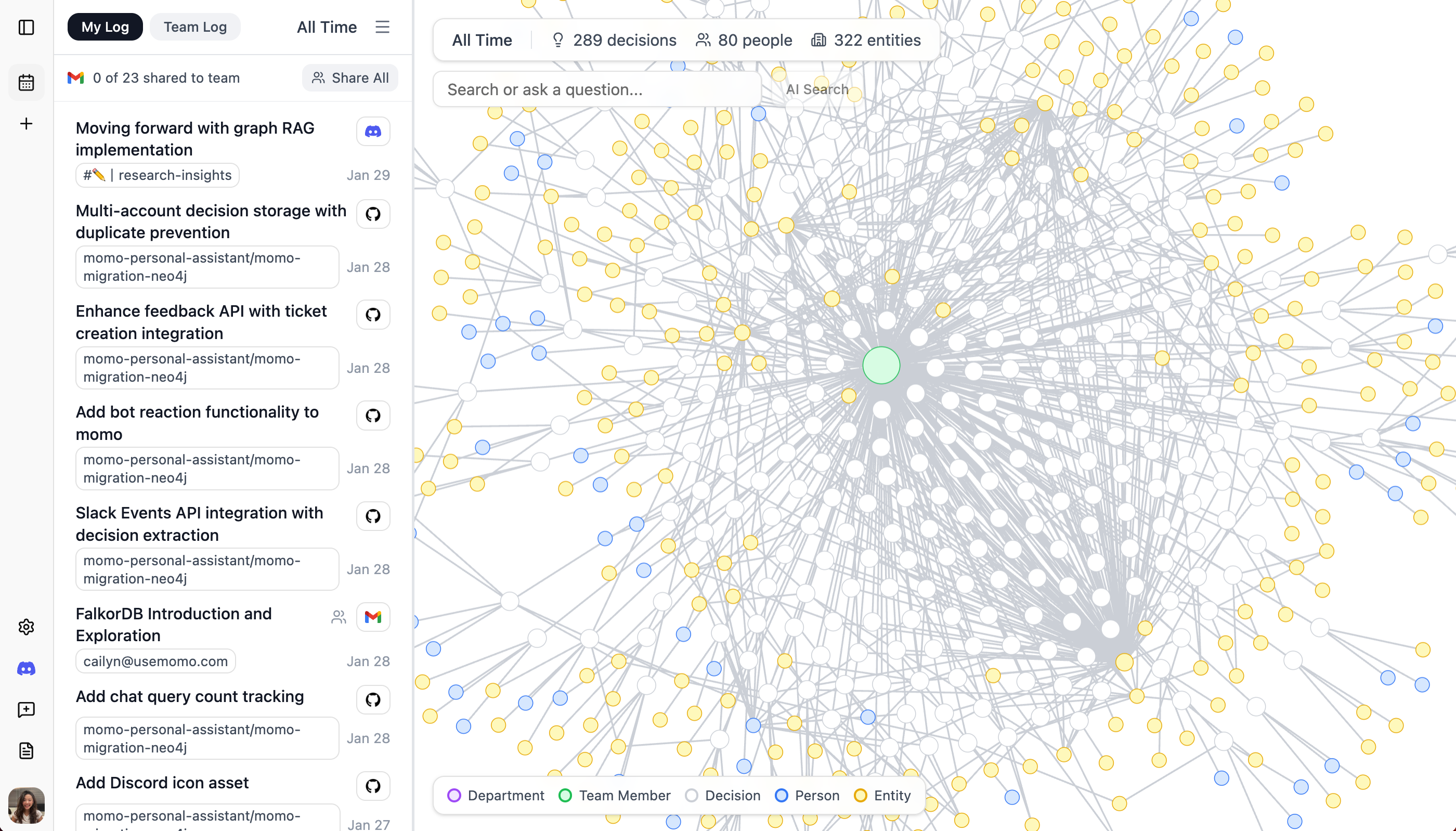
Company and user memory
Teams can chat with Momo within the website, or deploy it as slack bots and discord bots on their servers. As individuals chat with Momo, Momo keeps track of the messages and interactions and saves those contexts into a separate user memory. With evolving company and user memory, Momo retrieves not only the most relevant decisions, but also remembers the individual’s priorities. Company memory is automatically created and saved as a long term memory db for Momo, while user memories are dynamic, changing and adjusting based on the most recent conversations.Instant search and sync across teams
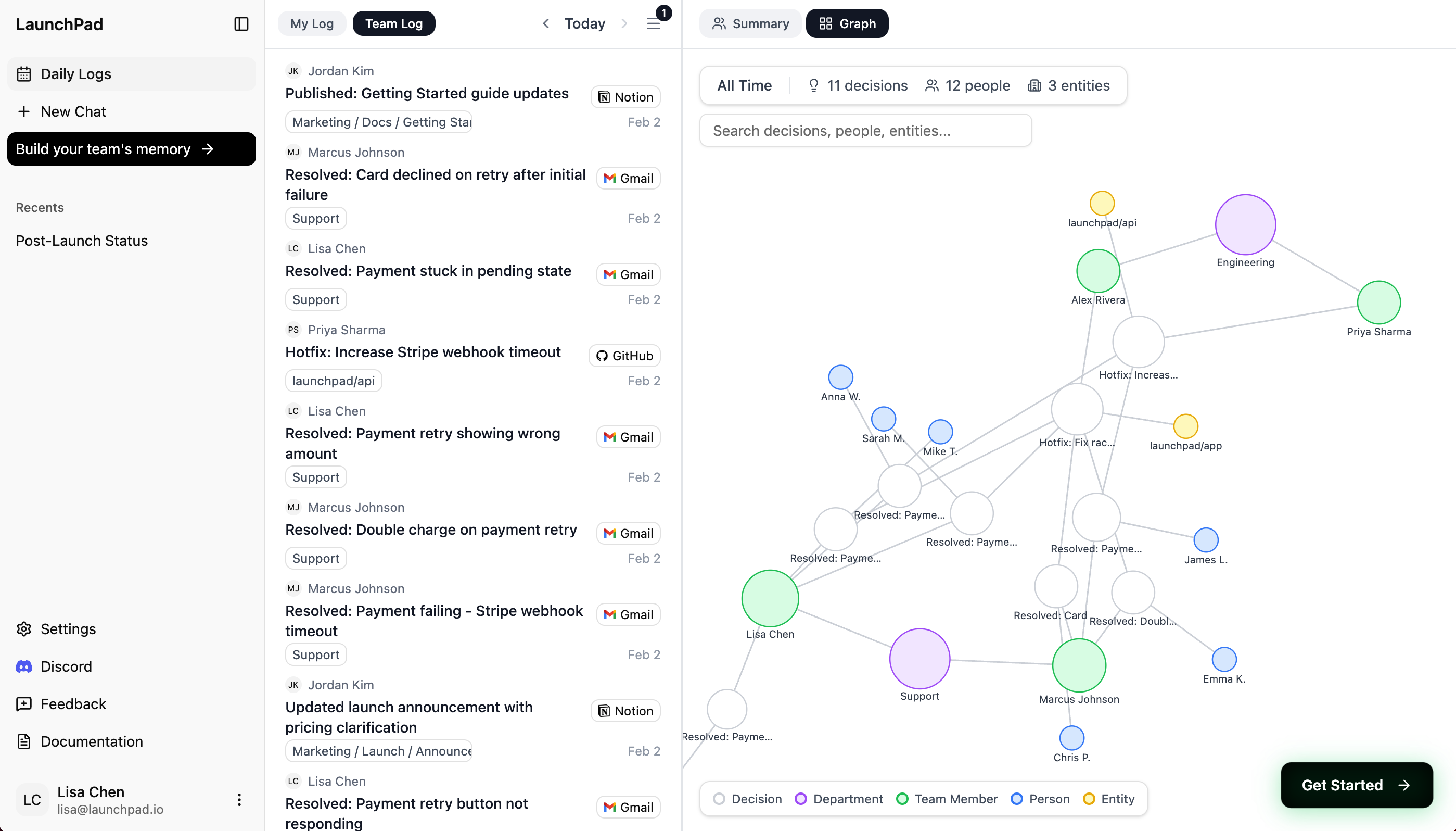
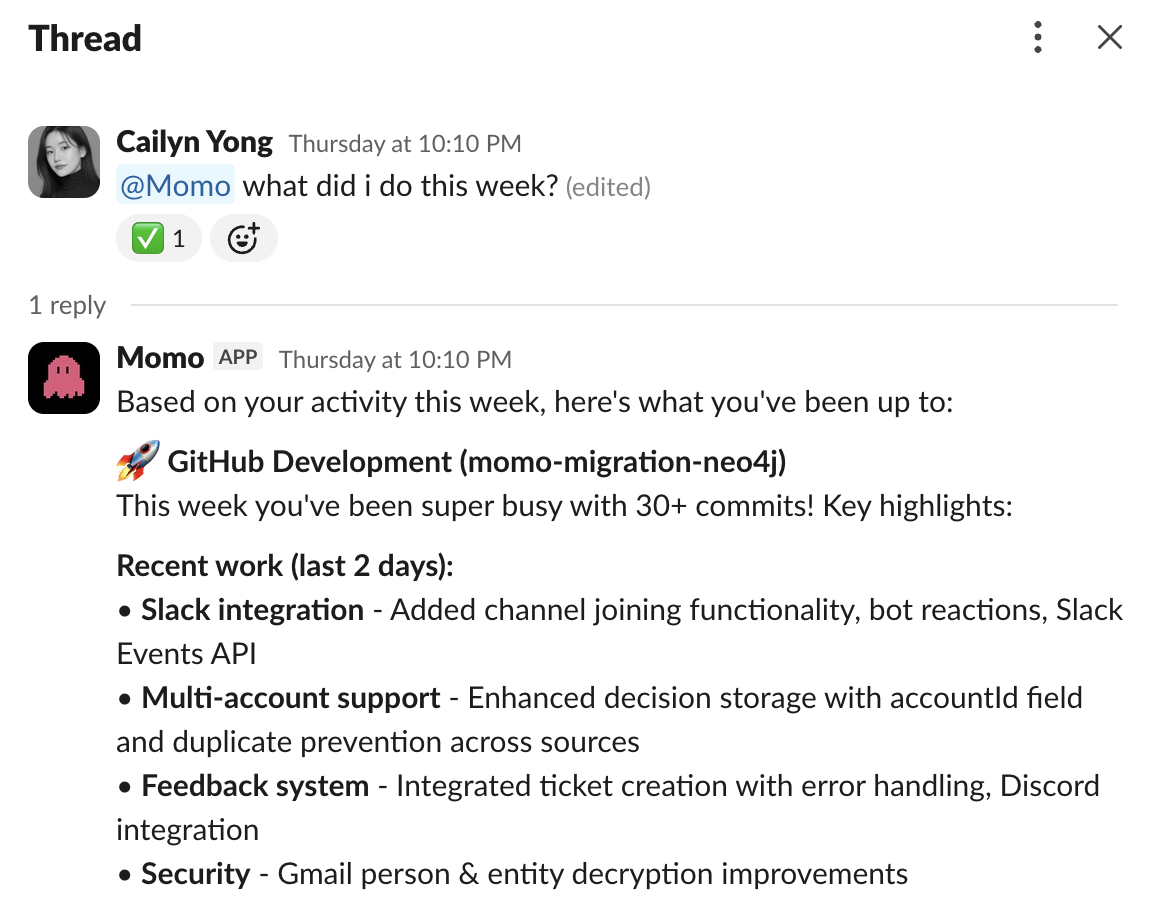
- What changed since I was last here?
- What is the current sales progress for client A?
- What’s the progress on the dev team fixing on feature B?
Why it matters
Slack and Gmail weren’t built to remember work. Decisions get lost in threads, ownership disappears, and teams waste time re-explaining context. When there’s no shared memory, work slows down. Onboarding takes longer, handoffs break, and teams repeat the same conversations week after week. Momo turns conversations into shared team memory. It automatically captures decisions and context from Slack and Gmail so teams can review what was decided, who owns what, and why without searching or asking again.What you can do with Momo
Shared memory for team conversations
Momo listens to Slack, Gmail, and GitHub and turns conversations into structured, evolving team memory.
Decision-level relationships
Momo connects related conversations and events so teams can understand how work actually fits together over time.
Keep decisions up to date
When conversations continue or change, Momo updates the underlying memory - no manual notes, no stale docs.
Living team knowledge
Instead of static docs, teams get a live memory they can review during handoffs, onboarding, or weekly reviews.
Next steps
Move onto the How it works section.How it works
Understand how we build persistent memory.